
⚡ From design to development, Skyroots Digital builds brands that connect and convert. ⚡

Shopify Website Design Cost: 7 Best Pricing Factors

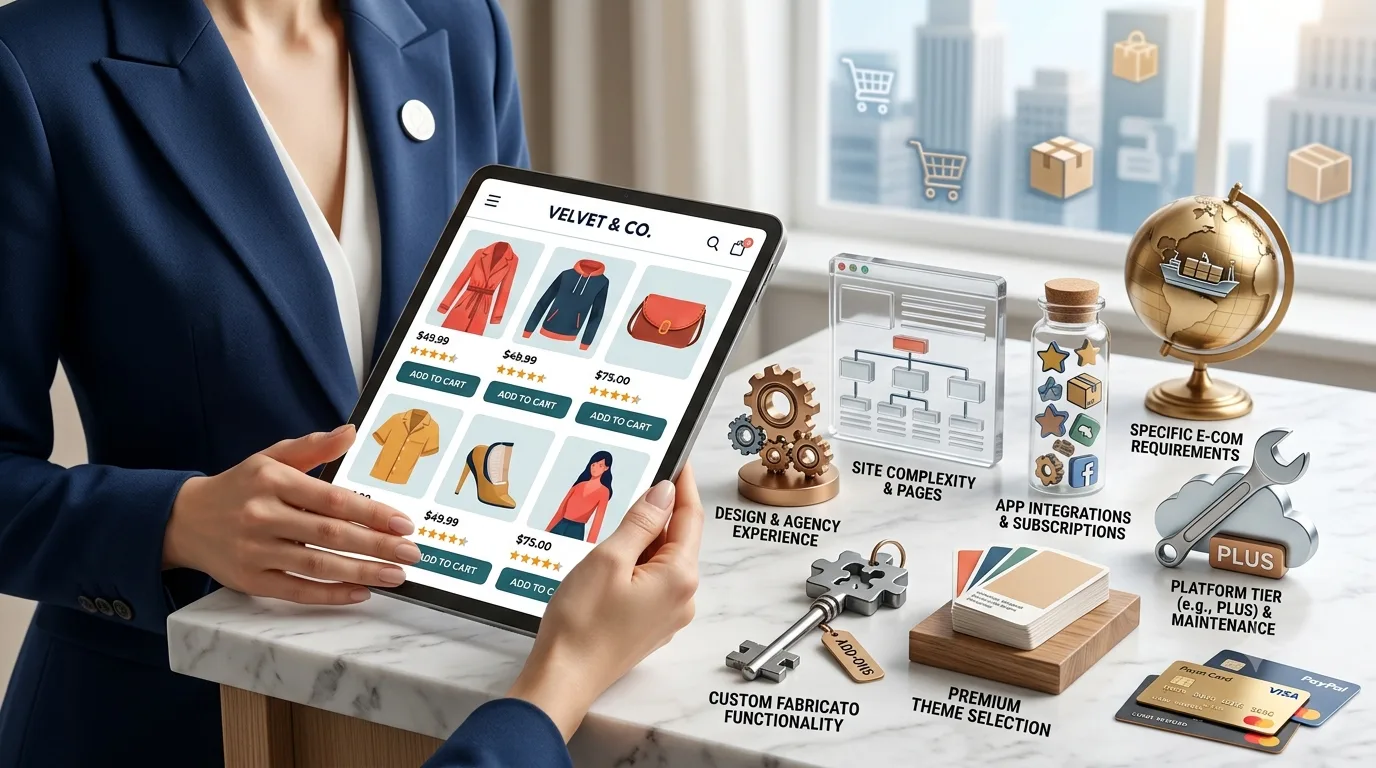
Shopify website design cost is one of the first questions business owners ask before building an online store. It makes sense. If you are planning to sell products online, you want to know what you are paying for, what affects the price, and how to avoid spending money on the wrong setup.

The short answer is that Shopify website design cost depends on the size of your store, the design style, product setup, features, apps, SEO work, and how much custom planning your store needs.

A simple Shopify store with a clean theme and a few products will usually cost less than a custom ecommerce website with collection pages, product filters, custom sections, email marketing setup, speed work, and conversion-focused design.

If you are still choosing the right person for the project, you may also want to read our guide on hiring a Shopify web designer.

Why Shopify Website Design Cost Can Vary

Not every Shopify store is built the same way. Some stores only need a clean homepage, a few product pages, and a simple checkout path. Other stores need custom design, larger product catalogs, advanced apps, SEO planning, and detailed product organization.

This is why Shopify website design cost can feel different from one project to another. You are not only paying for pages. You are paying for planning, design decisions, product setup, user experience, and the work needed to make the store easy to use.

A good Shopify website should help customers do three things quickly:

  • Understand what you sell
  • Trust your store
  • Buy without confusion

If the store looks nice but customers cannot find products, compare options, or complete checkout easily, the design is not doing its job.

1. Store Size and Number of Pages

The size of your store is one of the biggest factors in Shopify website design cost. A small store with a few products is easier to plan and build than a larger store with many products, categories, and collections.

A basic Shopify store may include:

  • Homepage
  • About page
  • Contact page
  • Shop page
  • Product pages
  • Basic policy pages

A larger Shopify website may need more detailed pages, such as:

  • Collection pages
  • Product category pages
  • Landing pages
  • FAQ page
  • Size guide page
  • Shipping information page
  • Returns page
  • Blog section

The more pages and product sections your store needs, the more planning, design, and content work is required.

2. Theme Setup vs Custom Shopify Design

Another major factor is whether your store uses a ready Shopify theme or a more custom design approach.

A theme-based store can be a good option when you need a clean store quickly. The designer can adjust colors, typography, sections, images, and layout to match your brand.

Custom Shopify website design usually costs more because it takes more time. The layout is planned around your brand, products, customer journey, and conversion goals.

Custom work may include:

  • Custom homepage sections
  • Better product page layouts
  • Custom collection page structure
  • Brand-focused visuals
  • More flexible page sections
  • Conversion-focused calls-to-action

If your store needs to look different from a basic template, custom design is usually worth considering. For a deeper look at store layout, read our Shopify website design best practices guide.

3. Product Setup and Store Organization

Product setup can also affect Shopify website design cost. A store with five products is much easier to organize than a store with hundreds of products, variants, sizes, colors, tags, and collections.

Good product setup includes:

  • Clear product titles
  • Helpful product descriptions
  • High-quality images
  • Product categories
  • Variants such as size or color
  • Pricing and inventory settings
  • Shipping details
  • Related product sections

If product pages are rushed, customers may leave with unanswered questions. A strong Shopify product page should make the buying decision easier.

This is one reason Shopify website design cost can increase when a store has many products or needs better product organization.

4. Apps, Features, and Integrations

Shopify apps can add useful features to your store, but they also need proper setup. Some apps are simple. Others need configuration, testing, and design adjustments.

Common Shopify features may include:

  • Product reviews
  • Email signup forms
  • Discount popups
  • Live chat
  • Product filters
  • Wishlist options
  • Subscription products
  • Booking tools
  • Upsell sections
  • Email marketing tools

Each feature should have a purpose. Adding too many apps can slow down the store and make the customer experience messy.

A professional Shopify setup should include only the tools your store actually needs. You can also check Shopify’s official pricing page here: Shopify pricing.

5. Mobile Design and Page Speed

Most ecommerce visitors shop from their phones. If your Shopify store is hard to use on mobile, you can lose sales even if the desktop version looks good.

Mobile-friendly Shopify design should include:

  • Readable text
  • Easy-to-tap buttons
  • Simple navigation
  • Fast loading images
  • Clear product photos
  • Short checkout path
  • Simple menus

Speed is also important. Slow stores can frustrate visitors before they even see your products. Large images, too many apps, heavy scripts, and poorly built sections can all slow down a Shopify website.

When comparing Shopify website design cost, ask if mobile design and speed cleanup are included. A cheap store that loads slowly may cost more later in lost sales and fixes.

6. SEO Setup for Shopify Stores

SEO is another important part of Shopify website design cost. A store should be built so search engines can understand the pages, products, collections, and content.

Basic Shopify SEO setup may include:

  • SEO-friendly page titles
  • Meta descriptions
  • Clean URLs
  • Optimized product titles
  • Image alt text
  • Internal links
  • Collection page content
  • Blog structure
  • Fast loading pages

SEO should not be added at the very end. It should be part of the planning from the start. If you need help with search visibility, explore our SEO service.

A Shopify store with better SEO structure has a stronger chance of getting organic traffic over time.

7. Content, Trust, and Conversion Strategy

Design alone is not enough. Your Shopify store also needs clear content. Customers should understand what you sell, why they should trust you, and what makes your products worth buying.

Helpful store content may include:

  • Clear homepage messaging
  • Product benefits
  • Shipping details
  • Return policy
  • FAQs
  • Reviews
  • Trust badges
  • About brand story
  • Contact information

Conversion strategy also affects Shopify website design cost. A store built for sales should guide people from browsing to buying with clear steps.

Good conversion elements include:

  • Strong hero section
  • Clear product categories
  • Visible add-to-cart buttons
  • Simple checkout flow
  • Trust signals near buying points
  • Helpful product details
  • Related products

A Shopify website should not only look professional. It should help visitors make decisions with confidence.

Cheap Shopify Design vs Professional Shopify Design

Choosing the cheapest option can be tempting, especially for a new store. But a very cheap Shopify setup may miss important details like mobile design, SEO structure, speed, product organization, and conversion planning.

A low-cost store may look fine at first, but later you may need to fix:

  • Slow loading pages
  • Poor mobile layout
  • Weak product pages
  • Confusing navigation
  • Missing SEO setup
  • Too many unnecessary apps
  • Weak calls-to-action

A professional Shopify project focuses on long-term use. The goal is to build a store that is easier to manage, easier to market, and easier for customers to buy from.

How Much Should You Budget?

Instead of asking only for the lowest price, ask what is included in the project. Shopify website design cost should be judged by the value of the setup, not only the final number.

Before starting, ask questions like:

  • Will the store be mobile-friendly?
  • Will product pages be optimized?
  • Will basic SEO be included?
  • Will speed be checked?
  • Will apps be installed properly?
  • Will I be able to edit the store later?
  • Will collection pages be planned?
  • Will there be support after launch?

These questions help you understand whether you are paying for a simple store setup or a complete ecommerce website build.

When Should You Invest More?

You may need a higher budget if your Shopify store has many products, custom branding, advanced features, or a serious growth plan.

Investing more may make sense if:

  • You depend on online sales
  • You sell many products
  • You need custom page sections
  • You want a stronger brand feel
  • You need better SEO structure
  • You plan to run ads
  • You want long-term growth

If your store is only a test idea, a simpler setup may be enough. But if your online store is an important part of your business, better planning can save time and money later.

Final Thoughts

Shopify website design cost depends on your store size, design needs, product setup, apps, SEO, content, speed, and conversion goals. A simple store will cost less than a custom store built for long-term ecommerce growth.

The best approach is to think about what your store needs to do. It should look professional, load fast, work well on mobile, explain products clearly, and make checkout easy.

At Skyroots Digital, we help businesses build Shopify stores that are clean, practical, SEO-friendly, and easy for customers to use.

If you are ready to plan your online store, explore our Shopify development service or contact Skyroots Digital to start your project.

FAQs About Shopify Website Design Cost

What affects Shopify website design cost?

Shopify website design cost depends on store size, custom design, product setup, apps, SEO work, content, mobile design, speed optimization, and the level of planning required.

Is Shopify cheaper than a custom ecommerce website?

Shopify can be more affordable than a fully custom ecommerce platform because it already includes hosting, checkout, product management, and ecommerce tools. The final cost still depends on design and features.

Do I need custom Shopify design?

You may need custom Shopify design if you want a unique brand look, better product pages, stronger conversion sections, or a store that does not feel like a basic template.

Does Shopify website design include SEO?

It depends on the designer or agency. A strong Shopify project should include basic SEO setup such as page titles, meta descriptions, clean URLs, image alt text, product structure, and internal links.

Can I start with a simple Shopify store?

Yes. Many businesses start with a simple Shopify store and improve it over time. The important thing is to build the store with clean structure, mobile-friendly design, and room to grow.

Should I hire a Shopify web designer or do it myself?

You can build a basic Shopify store yourself, but hiring a Shopify web designer can help if you need better design, product organization, SEO setup, speed, and a more professional customer experience.
Shopify Website Design: 7 Best Practices for Online Stores

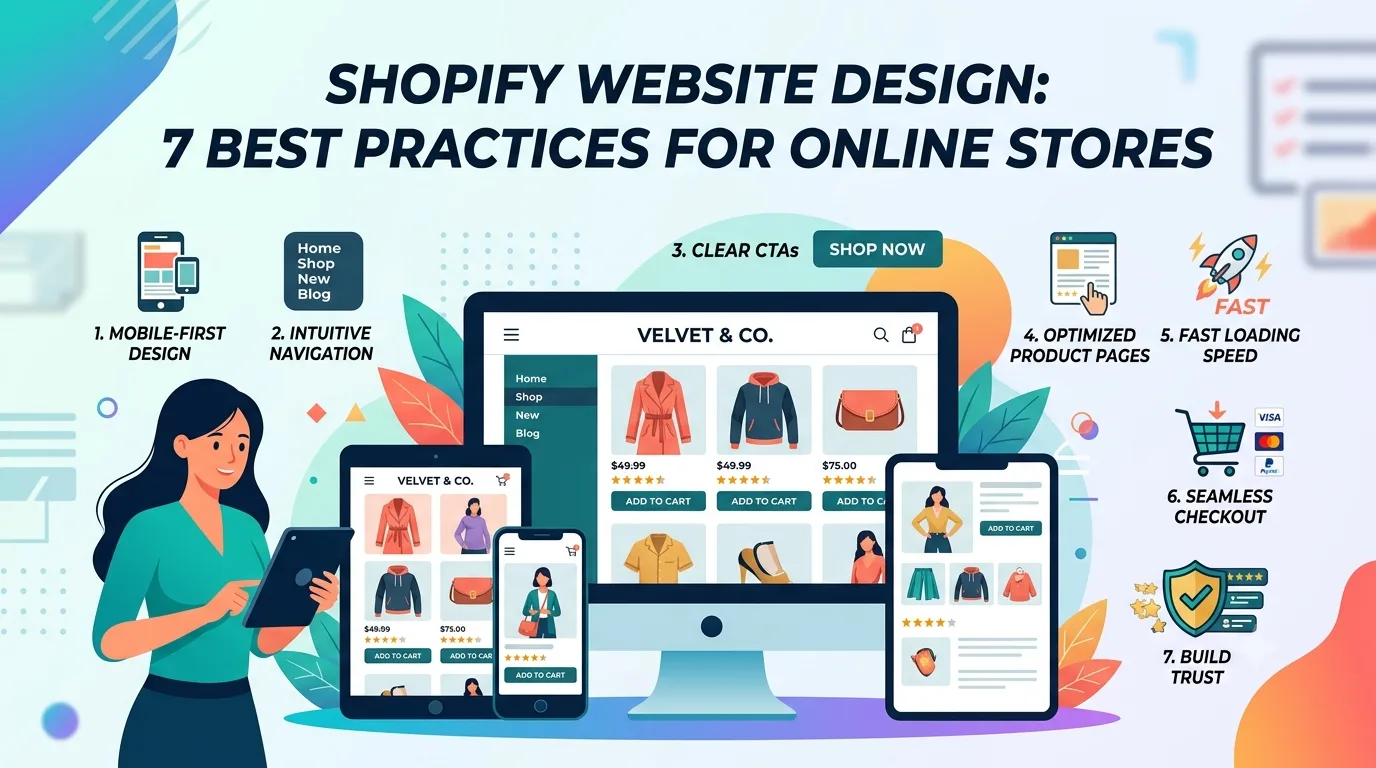
Shopify website design is one of the most important parts of building a successful online store. A Shopify store should not only look clean. It should help shoppers understand products, trust the brand, move through the store easily, and complete checkout without confusion.

Many businesses start with a Shopify theme and upload products, but a strong store needs more planning than that. Layout, product pages, mobile experience, speed, SEO, trust signals, and conversion flow all affect how well the store performs.

If you are planning a new Shopify store or improving an existing one, this guide explains the best Shopify website design practices to follow before launch.

Why Shopify Website Design Matters

A Shopify store is more than a place to list products. It is your online sales experience. If the design is confusing, slow, or hard to use, shoppers may leave before buying.

Good Shopify web design helps visitors:

  • Understand what you sell
  • Find products quickly
  • Trust your brand
  • Compare product options
  • Read important details
  • Add products to cart easily
  • Complete checkout with confidence

A strong Shopify website design should support both user experience and business goals. It should make shopping simple, not stressful.

Start With Clear Store Goals

Before choosing a layout or theme, get clear on what your Shopify store needs to do.

Ask yourself:

  • Am I selling physical products?
  • Do I need collections or product filters?
  • Do I need product variants?
  • Do I need subscriptions?
  • Do I need local pickup or shipping options?
  • Do I want to increase average order value?
  • Do I need SEO traffic from Google?
  • Do I want paid ads to send traffic to product pages?

Your goals affect the store structure. A fashion store may need strong visuals and collection filters. A beauty store may need product education, reviews, and bundles. A furniture store may need detailed specs, image galleries, and shipping information.

If you need help building a complete store, explore our Shopify development service.

1. Build a Clean Homepage

The homepage is often the first place shoppers land. It should explain the brand quickly and guide visitors toward products or collections.

A clean Shopify homepage may include:

  • Clear hero section
  • Simple brand message
  • Featured collections
  • Best-selling products
  • Trust signals
  • Customer reviews
  • Clear calls-to-action
  • Shipping or return information
  • Email signup section

A homepage should not feel crowded. The goal is to help shoppers understand the store and move forward easily.

2. Create Strong Product Pages

Product pages are the heart of every Shopify store. This is where shoppers decide whether to buy.

A strong product page should include:

  • Clear product title
  • High-quality product images
  • Useful product description
  • Price and variant options
  • Size guide or specifications
  • Shipping information
  • Return policy
  • Customer reviews
  • Related products
  • Strong add-to-cart button

Product pages should answer common buying questions before the customer has to ask. If details are missing, shoppers may leave and look somewhere else.

This is also where a Shopify web designer can help organize the page so it feels clear, trustworthy, and easy to use.

3. Design for Mobile Shoppers

Most ecommerce shoppers browse from phones. If your Shopify website design is not mobile-friendly, you can lose sales quickly.

Mobile-friendly Shopify web design should include:

  • Readable text
  • Easy-to-tap buttons
  • Simple mobile menu
  • Fast-loading images
  • Clear product photos
  • Short checkout path
  • Sticky add-to-cart button when useful
  • Simple product filters

A Shopify store should be tested on different screen sizes before launch. A store that looks good on desktop but feels difficult on mobile is not ready.

4. Improve Store Speed

Speed affects both user experience and sales. If a Shopify store loads slowly, shoppers may leave before viewing products.

Store speed can be affected by:

  • Large images
  • Too many apps
  • Heavy theme code
  • Unused scripts
  • Large video files
  • Poorly optimized sections

A good Shopify website design should keep the store clean and lightweight. Use optimized images, avoid unnecessary apps, and choose sections that support the customer journey.

5. Plan SEO Before Launch

Shopify can work well for SEO when the store is structured properly. Search engines need clear product pages, collection pages, headings, titles, descriptions, and internal links.

A strong SEO foundation for Shopify may include:

  • Optimized product titles
  • Clean collection pages
  • Helpful product descriptions
  • Image alt text
  • Clean URLs
  • Internal links
  • Fast loading speed
  • Mobile-friendly layout
  • Blog content
  • Schema markup where needed

SEO should not be added only after the store is built. A search-friendly Shopify website design should consider SEO from the beginning.

You can also review Google’s SEO Starter Guide to understand search-friendly website basics.

6. Use Trust Signals

Online shoppers need confidence before buying. Trust signals help reduce doubt and make the store feel more reliable.

Useful trust signals include:

  • Customer reviews
  • Secure checkout message
  • Clear return policy
  • Shipping information
  • Contact information
  • Real product photos
  • Payment icons
  • FAQs
  • About brand section

A strong Shopify website design places these trust elements where shoppers need reassurance, especially on product pages and checkout-related sections.

7. Make the Checkout Path Simple

A Shopify store should guide shoppers from product discovery to checkout without confusion.

A smooth checkout path may include:

  • Clear product pages
  • Easy add-to-cart button
  • Simple cart page
  • Clear shipping information
  • Visible return policy
  • Easy payment options
  • No unnecessary distractions

The fewer obstacles shoppers face, the better chance they have of completing the order.

Shopify Website Design vs Shopify Development

Shopify website design focuses on layout, branding, product presentation, mobile experience, and conversion flow.

Shopify development focuses more on theme customization, custom sections, app setup, integrations, advanced features, and technical improvements.

Many successful Shopify projects need both. A store should look professional, but it should also work smoothly behind the scenes.

Common Shopify Website Design Mistakes

Many online stores lose sales because of simple design mistakes.

Common mistakes include:

  • Using too many apps
  • Slow loading pages
  • Weak product descriptions
  • Low-quality images
  • Confusing navigation
  • No reviews or trust signals
  • Hard-to-find contact information
  • Poor mobile layout
  • No SEO structure
  • Weak calls-to-action

A good Shopify store should be designed around the shopper, not only around the theme.

Final Thoughts

Shopify website design should help your online store look professional, load fast, work smoothly, and support more sales.

A strong store should have clear product pages, mobile-friendly layouts, SEO-friendly structure, trust signals, and a simple checkout experience.

Skyroots Digital helps businesses build Shopify stores with clean design, strong structure, and conversion-focused planning.

If you are ready to build or improve your Shopify store, contact Skyroots Digital to start your project.

FAQs

What is Shopify website design?

Shopify website design is the process of planning and creating the layout, product pages, mobile experience, branding, navigation, and conversion flow of a Shopify online store.

Why is Shopify website design important?

Shopify website design is important because it affects how shoppers browse products, trust the store, understand product details, and complete checkout.

Is Shopify good for SEO?

Yes, Shopify can work well for SEO when product pages, collection pages, titles, descriptions, image alt text, internal links, and site speed are properly optimized.

What should a Shopify product page include?

A Shopify product page should include strong images, a clear title, useful description, price, variants, shipping information, return policy, reviews, and a clear add-to-cart button.

What is the difference between Shopify web design and Shopify development?

Shopify web design focuses on layout, branding, and user experience. Shopify development focuses on technical work such as custom sections, theme changes, integrations, and advanced features.

Should I hire someone for Shopify website design?

You should consider hiring help if you want a professional store, better product pages, stronger mobile experience, SEO-friendly structure, and a smoother checkout flow.

Shopify Web Designer: 7 Essential Things to Check Before Hiring

Hiring the right Shopify web designer can make a big difference in how your online store looks, works, and sells. Shopify is a strong ecommerce platform, but a successful store needs more than a basic theme and product uploads.

Your store should be easy to browse, fast to load, simple to buy from, and trustworthy. A good Shopify website should help customers find products, understand details, and complete checkout without confusion.

If you need help building a complete Shopify store, explore our Shopify development service.

For store layout and page structure, read our Shopify website design best practices guide.

Why Choosing the Right Shopify Web Designer Matters

Ecommerce design is different from regular website design. A business website may focus on leads and contact forms, but an online store needs to support product discovery, product comparison, cart flow, checkout, shipping details, and customer trust.

The right Shopify web designer should understand both design and buying behavior. The goal is not only to make the store look attractive. The goal is to make shopping easier.

A strong Shopify store should have:

  • Clean homepage design
  • Clear product pages
  • Easy navigation
  • Fast loading speed
  • Mobile-friendly shopping
  • Strong product images
  • Trust signals
  • Simple checkout flow
  • SEO-friendly structure

When these parts work together, your store has a better chance of converting visitors into customers.

Start With Your Ecommerce Goals

Before hiring a Shopify web designer, define what you need.

Are you launching a new store? Redesigning an existing Shopify website? Moving from another platform? Improving product pages? Trying to increase conversions? Building a brand-focused online store?

Your goals affect the design. A fashion store may need strong visuals and collection filters. A beauty store may need product education and reviews. A furniture store may need detailed product specs and high-quality images.

A good designer will ask about your products, audience, pricing, brand style, and sales goals before starting.

Check Their Shopify Portfolio

Review the designer’s previous Shopify store design work. A portfolio shows whether they understand ecommerce layouts and product-focused design.

Look for:

  • Clean product pages
  • Organized collections
  • Mobile-friendly layouts
  • Clear add-to-cart buttons
  • Simple navigation
  • Good product image display
  • Trust-building sections
  • Fast page experience
  • Strong brand presentation

Do not only look at homepage design. Product pages and collection pages are just as important because that is where buying decisions happen.

Product Pages Are the Heart of the Store

Product pages need special attention. A customer should quickly understand what the product is, why it is useful, what options are available, and how to buy it.

A strong Shopify product page may include:

  • Clear product title
  • High-quality images
  • Product description
  • Price
  • Variants
  • Size guide or specifications
  • Reviews
  • Shipping information
  • Return policy
  • FAQ section
  • Related products
  • Add-to-cart button

A professional Shopify web designer should know how to arrange these elements so the page feels clear and easy to use.

Mobile Shopping Must Be Smooth

Good ecommerce design starts with clear website design, simple navigation, and mobile-friendly layouts.

Many ecommerce customers shop from phones. If your Shopify store is hard to use on mobile, you can lose sales quickly.

Mobile-friendly Shopify website design includes:

  • Fast loading pages
  • Easy-to-tap buttons
  • Clear product images
  • Simple menus
  • Readable descriptions
  • Smooth cart experience
  • Easy checkout path
  • Proper spacing

A good Shopify web designer should test the store on mobile before launch. A store that only works well on desktop is not enough.

Store Speed Affects Sales

Slow ecommerce websites can hurt conversions. Customers do not want to wait for product pages or checkout screens to load.

Speed can be affected by:

  • Large images
  • Too many apps
  • Heavy theme code
  • Unused scripts
  • Large video files
  • Poorly optimized sections

A strong Shopify web designer should build with speed in mind. They should optimize images, avoid unnecessary apps, and keep the store clean.

SEO Matters for Shopify Stores

A Shopify store also needs an SEO foundation so product pages and collection pages can appear in search results.

You can also review Shopify’s official ecommerce platform information on the Shopify website.

Shopify stores can rank in search engines, but they need proper structure. Ecommerce SEO helps product and collection pages appear for relevant searches.

An SEO-friendly Shopify store should include:

  • Optimized product titles
  • Meta titles and descriptions
  • Collection page content
  • Image alt text
  • Clean URLs
  • Internal links
  • Blog content
  • Fast loading speed
  • Mobile-friendly design
  • Helpful product descriptions

A good Shopify web designer should understand ecommerce SEO basics. If SEO is ignored during design, the store may depend too much on paid ads.

Navigation Should Be Simple

Customers should find products quickly. If navigation is confusing, they may leave.

A Shopify store may need navigation by:

  • Product category
  • Collection
  • Size
  • Style
  • Brand
  • Use case
  • Price range
  • Best sellers
  • New arrivals

The best structure depends on your products. A professional Shopify designer should help organize your store in a way that feels natural to shoppers.

Trust Signals Help Customers Buy

People need confidence before buying from an online store. Trust signals reduce doubt and make customers more comfortable.

Important trust elements include:

  • Customer reviews
  • Secure checkout message
  • Shipping policy
  • Return policy
  • Contact information
  • About brand section
  • Real product images
  • FAQs
  • Payment icons
  • Customer support options

A conversion-focused Shopify store should place these elements where customers need them.

Be Careful With Shopify Apps

Shopify apps can add useful features, but too many apps can slow the store and create problems. Every app should have a purpose.

Useful apps may include:

  • Reviews
  • Email marketing
  • Upsells
  • Subscriptions
  • Product filters
  • Analytics
  • Live chat
  • Shipping tools

A good Shopify web designer or Shopify expert should recommend apps carefully. The goal is not to install everything. The goal is to keep the store fast, useful, and easy to manage.

Conversion-Focused Design Is Important

A Shopify store should guide people toward purchase. Conversion-focused ecommerce website design looks at how shoppers move from homepage to product page to cart to checkout.

Important conversion elements include:

  • Clear homepage message
  • Strong product images
  • Simple add-to-cart flow
  • Product recommendations
  • Reviews
  • Trust badges
  • Clear policies
  • Easy checkout
  • Mobile-friendly design
  • Email capture

A nice-looking store is good, but a store that helps customers buy is better.

Shopify Designer vs Shopify Developer

A Shopify web designer usually focuses on layout, branding, product presentation, and user experience. A Shopify developer focuses more on code, custom theme work, app integrations, and advanced functionality.

Some professionals do both. If you need a simple store setup, a designer may be enough. If you need custom features, advanced filters, special product logic, or custom checkout-related work, you may need Shopify development support.

Questions to Ask Before Hiring

Before hiring a Shopify web designer, ask:

  • Have you designed Shopify stores before?
  • Will the store be mobile-friendly?
  • Will product pages be conversion-focused?
  • Will SEO basics be included?
  • Will you optimize store speed?
  • Will you help organize products and collections?
  • Will you recommend apps carefully?
  • Will I be able to manage products later?
  • Do you provide support after launch?
  • Can the store grow as my business grows?

These questions help you choose someone who understands ecommerce, not just design.

Common Mistakes to Avoid

Many store owners make mistakes that affect sales.

Common Shopify mistakes include:

  • Using too many apps
  • Poor mobile design
  • Weak product descriptions
  • Low-quality images
  • Confusing navigation
  • Missing reviews
  • No shipping information
  • Slow loading pages
  • Weak calls-to-action
  • No SEO setup

A professional Shopify web designer should help you avoid these problems.

Final Thoughts

Choosing the right Shopify web designer can help your online store look professional, work smoothly, and support more sales. A strong Shopify store should be fast, mobile-friendly, easy to shop, and built with conversion in mind.

Skyroots Digital creates Shopify stores for businesses that need clean design, better user experience, and stronger ecommerce foundations.

If you are ready to build or improve your Shopify store, contact Skyroots Digital to start your project.

Ready to build a better Shopify store? Contact Skyroots Digital to plan your project.

FAQs

What does a Shopify web designer do?

A Shopify web designer designs and structures Shopify stores. They work on homepage layout, product pages, collection pages, mobile design, branding, navigation, and conversion-focused sections.

Is Shopify good for ecommerce websites?

Yes, Shopify is a strong platform for ecommerce websites because it supports products, collections, payments, checkout, inventory, shipping tools, and app integrations.

How much does a Shopify web designer cost?

The cost depends on the size of the store, number of products, design needs, custom sections, apps, SEO setup, and whether the store uses a theme or custom Shopify development.

What makes a Shopify store successful?

A successful Shopify store usually has clean design, fast loading speed, strong product pages, simple navigation, trust signals, mobile-friendly layout, and a smooth checkout experience.

Do Shopify stores need SEO?

Yes, Shopify stores need SEO if they want organic traffic from search engines. Product pages, collection pages, image alt text, meta titles, descriptions, internal links, and useful content all matter.

Should I hire a Shopify designer or developer?

Hire a Shopify designer if you need layout, branding, and store design. Hire a Shopify developer if you need custom code, advanced functionality, integrations, or complex store features.